The Right Resource At The Right Time
Overview
Hello! I hope that your week has been both productive and satisfying, and that this weekend will be a time of valuable rest and refreshment. Thank you for all the important work that you are doing each and every day to help your clients.
The theme of the work we’ve done this week, and therefore this post, is “the right resource at the right time.” As part of our commitment to enhancing the ways that Chronicler can support your therapy practice, I’m excited to share a couple sneak peek screenshots of our upcoming digital forms and Google Calendar integration features. As these tools become available over the next couple of months, we hope that they will: make it easier for your clients to more fully express their perception of the journey that they are on with you, and likewise empower you with useful insights to aid your clients more effectively and deepen the empathy in your therapeutic relationship.
What’s we’re working on
1. Emailing digital forms to clients
To make it easier to get consistent, valuable feedback from clients, it should be simple to provide pre- and post- session questionnaires, and those forms ought to be easy for a client to complete. Many clients have access to email, and many have email right on their smart devices.
With those realities in mind, we’ve been adding support in Chronicler for sending forms emails to clients. The screenshots below walk through the process; from sending the forms and then looking at the client’s response trends.
1. Select your client and the type of Form you’d like to create for them.
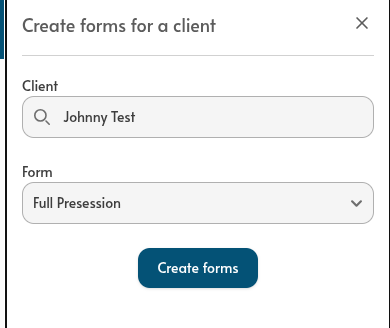
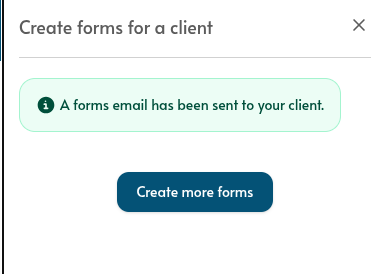
2. If the client record in Chronicler has an email address, and the client consents to receive forms via email, Chronicler will email a form link to that client.
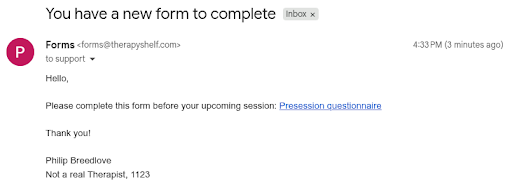
3. Here’s what the client sees.
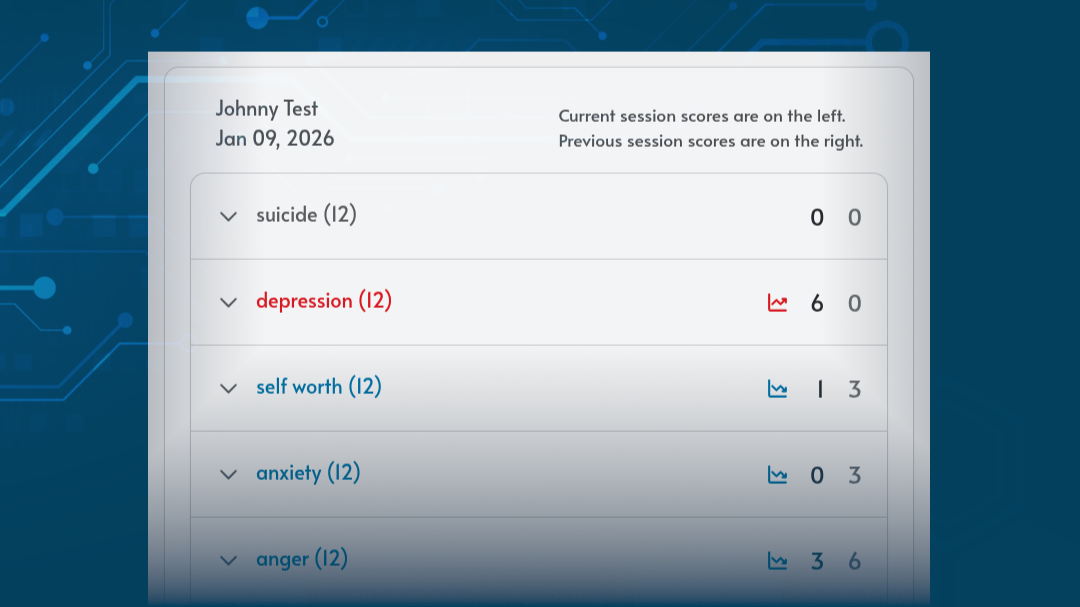
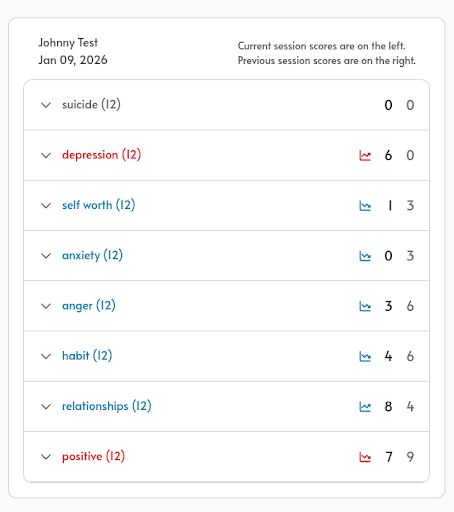
4. Once a client completes a form, you’ll be able to view the results in Chronicler. You’ll also be able to easily identify self reported progress and areas of concern over the course of multiple sessions.
2. Syncing Chronicler with Google Calendar
Of course, it’s nice to be able to send a form to a client with a few button clicks, but what if the process could be fully automatic? Well, if you use Google Calendar to schedule your sessions, or your E.H.R. syncs your sessions to Google Calendar, you will soon be able to link that with Chronicler to automatically send forms to your clients before and after your sessions together.
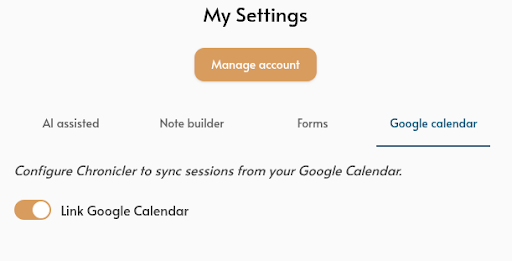
Here’s a screenshot of the settings (it will be really easy to set up), and we’re looking forward to sharing more details with you in future weeks as we build up to releasing this new feature.
Our goal is to get these helpful features into your hands as soon as we can, and continuously improve them with your feedback. In the meantime, I didn’t want to leave you hanging with no visuals (hence the screenshots). I’m excited to be building this functionality for you, and there is much more to come!